 Download now
 Watch the video

 Building your app


Android
Phones & tablets
 Android 7.0 or newer
- Universal APK
- ARM64, ARM32 & x86_64 APKs
A guided builder that creates signed Android apps from a website or an offline HTML project - configured in minutes, built in the cloud, delivered as one ZIP.
Free to try with a product key from You B Tech.
From the first icon to the signed release, the builder handles each step for you.

Wrap a live site, or bundle an offline HTML project that runs fully inside the app.

Icon, colors, splash screen, timing and exit animation with a live phone preview.

Optional banner and interstitial ads with sensible, policy-friendly intervals.

Camera, microphone, location, files and notifications - only what your site needs.

Builds run on GitHub Actions in your own private repository. No build server to manage.

Release-ready packages with your own signing key, plus the Android project and a build report.

Describe a site and let the agent create and edit its files, with an instant preview.

Built-in update notices make sure everyone runs the latest version.
Configure, let the cloud build it, then download your app.
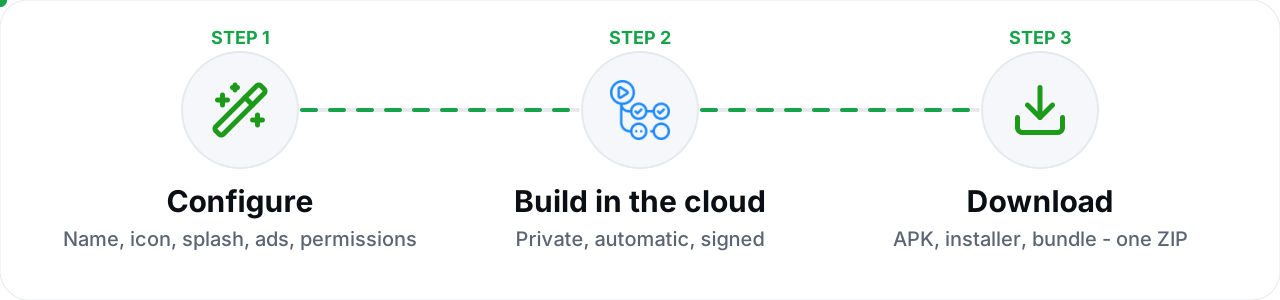
Follow the six-step wizard: details, content, appearance, monetization, permissions and review.
One tap starts a private cloud build. Watch each stage live - it keeps going even if you close the app.
Get signed APK and AAB files, the Android source project and a report, all in one ZIP.
Pick your platform. Each button opens the release page with the matching files and checksums.
Phones & tablets
Android 7.0 or newerUniversal APKARM64, ARM32 & x86_64 APKs
Desktop installer
Windows 10 / 11, 64-bitGuided setup.exe installerStart menu & uninstall entry
Desktop bundle
Any 64-bit distributionPortable .tar.gz - no installGTK 3 requiredThe launch video: dashboard, wizard, cloud build and every platform.
Yes. Access to the builder is protected by a product key from You B Tech. Each key has a limit on how many apps it can build, and the remaining quota is visible inside the app.
On GitHub Actions, in a private repository in your own GitHub account. Your project never touches a shared build server.
No. Only the finished downloads, this page and the product video are public. The source code stays private.
If you are unsure, take the universal APK. Newer phones usually run the ARM64 file, older phones the ARM32 file, and emulators the x86_64 file.
Extract the .tar.gz anywhere, then run the ybt_builder file inside. It works on any 64-bit Linux distribution that has GTK 3 installed.
The installer is not signed with a paid code-signing certificate yet, so Windows SmartScreen may ask for confirmation. Choose "More info" and then "Run anyway", and compare the file with the published SHA256SUMS.